Investing on your own
You find your own deals, instruct your own solicitors and keep the numbers in a spreadsheet. Each deal gets its own file, stage and next action.
For UK property investors and acquisition firms
The transaction desk for
active UK property investors.
Why PropertyPath
There are good tools for finding deals and good tools for collecting rent. The part in between is where solicitors, searches, surveys, builders and lenders all need to come together.
Most investors manage that stretch in spreadsheets, group chats and their inbox. It works until a search goes unchased, a bridge approaches its expiry date or refinance starts a month too late.
PropertyPath gives that part of the deal a place of its own.

Find the deal
The opportunity
Buy, refurb, refinance
PropertyPath
Collect the rent
The ongoing portfolio
The old way and the PropertyPath way
Spreadsheets, inbox and WhatsApp
With PropertyPath
Chasing solicitors by phone and email to find out where things are
A live legal checklist your solicitor updates in their own portal, with your margins hidden from them
Realising at month five that the refinance should have started weeks ago
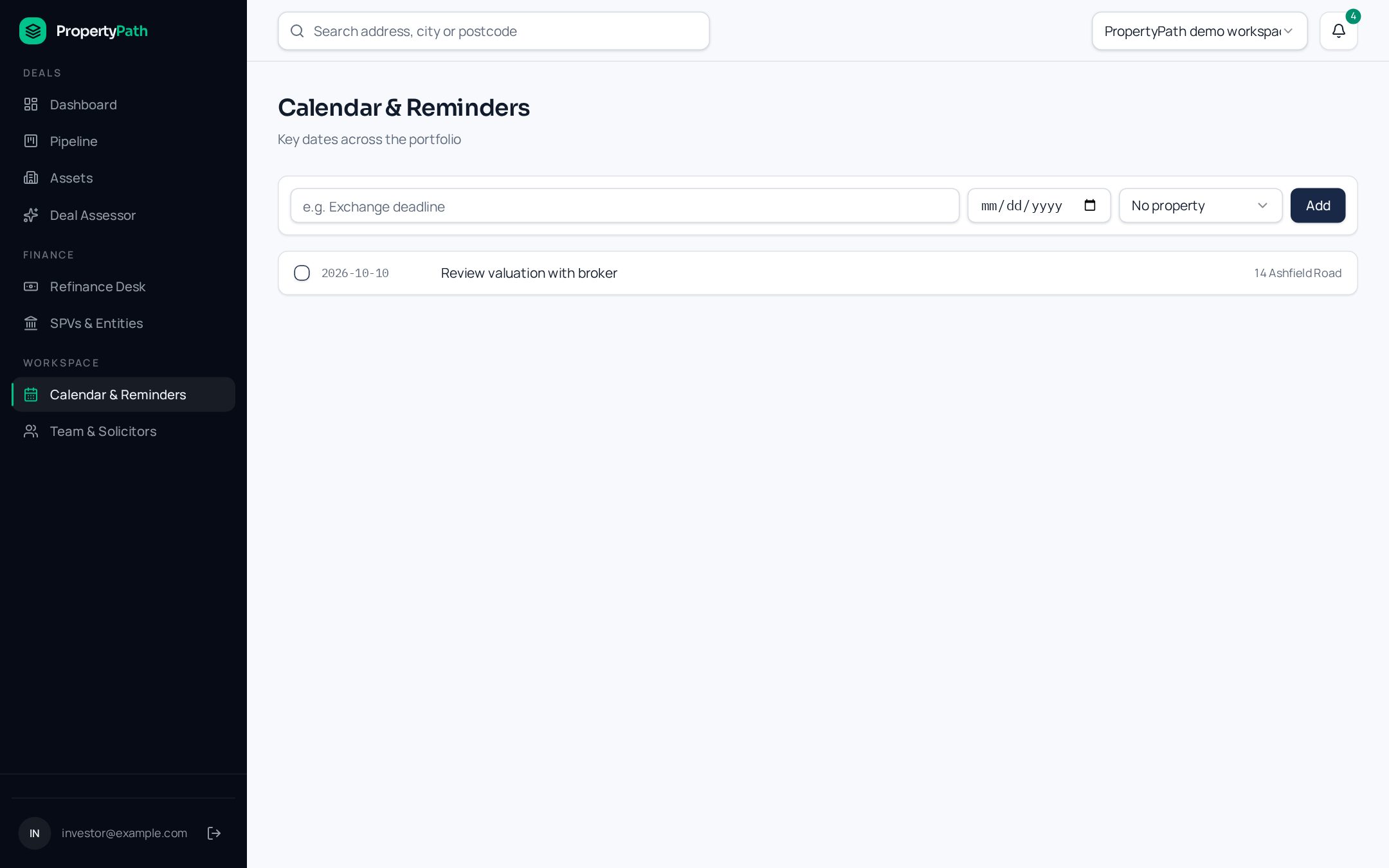
Broker reminders 60 and 30 days before each deal’s six-month date, plus bridge expiry warnings
Rebuilding a spreadsheet every time you brief a broker
A one-click refinance pack with purchase, refurb, end value and capital stack
Landlord apps built for collecting rent, not for getting a deal bought
A desk built for the transaction: legals, bridging finance and capital across your companies
Who it's for
You find your own deals, instruct your own solicitors and keep the numbers in a spreadsheet. Each deal gets its own file, stage and next action.
Two or three of you progress deals at once. Everyone works from the same pipeline and the same follow-ups, so nothing waits on a message.
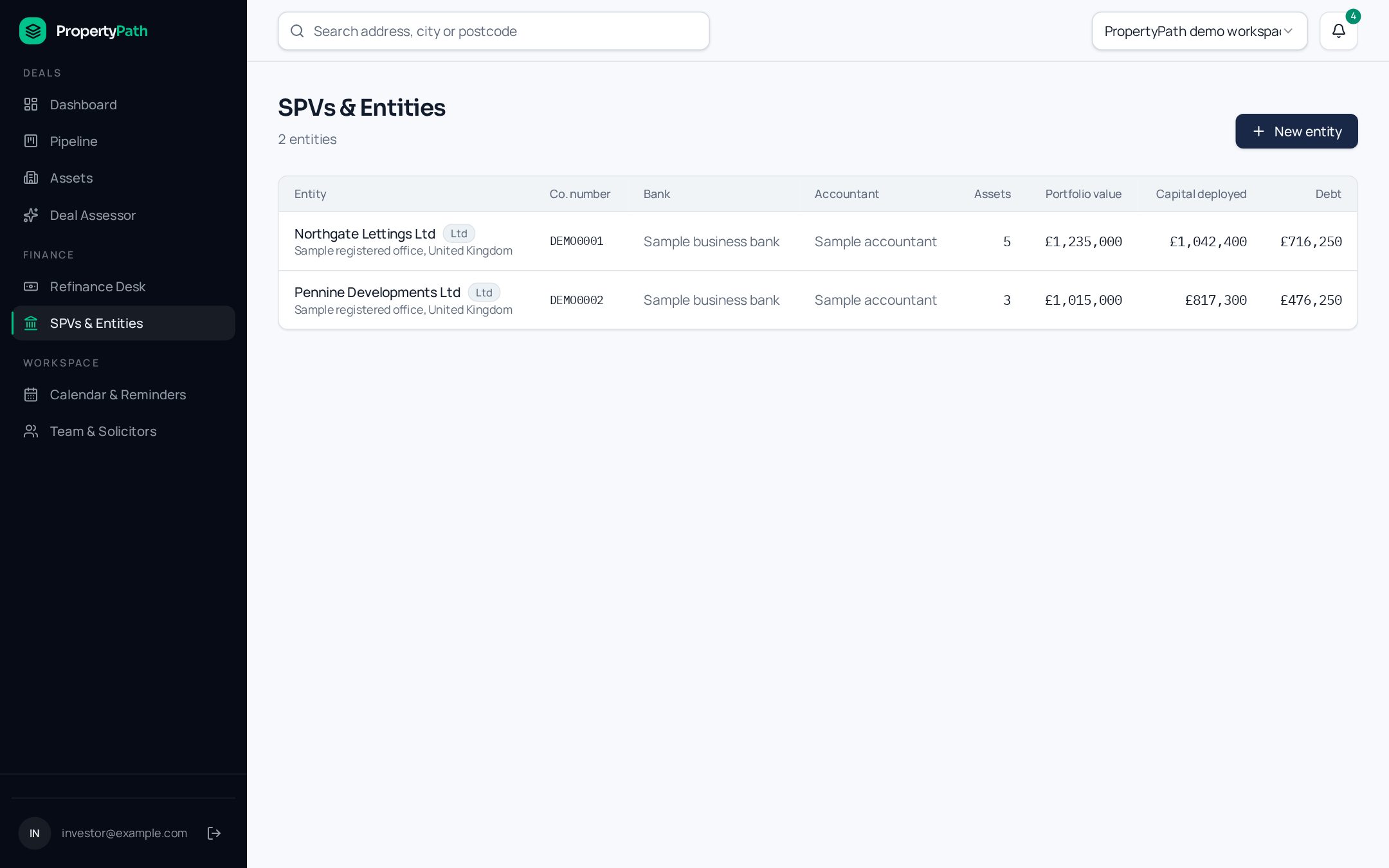
Each property sits with its limited company, so you can see what each one holds, has borrowed and has tied up.
Getting started
Create your workspace
Sign up and your account gets a private space of its own. No one else sees what you add.
Add your first deal
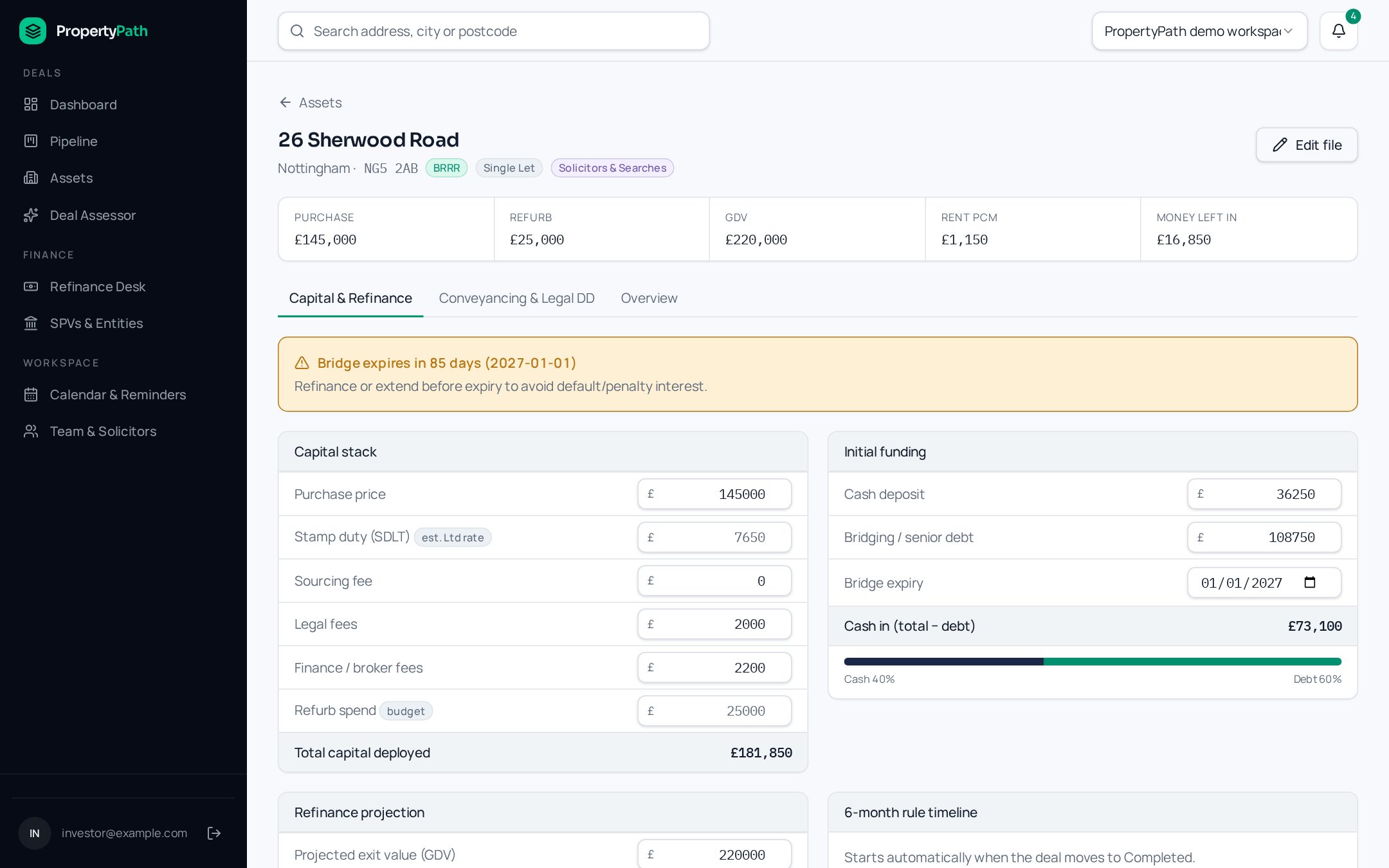
Enter purchase price, refurb budget, end value and rent. The legal checklist is created for it, and follow-ups appear as you work through it.
Bring in your people
Invite your team, then assign a matter to your solicitor. They get their own view of the same file.
Two views of the same deal
Everyone works from the same property file, but outside firms only see the legal side.
What it does
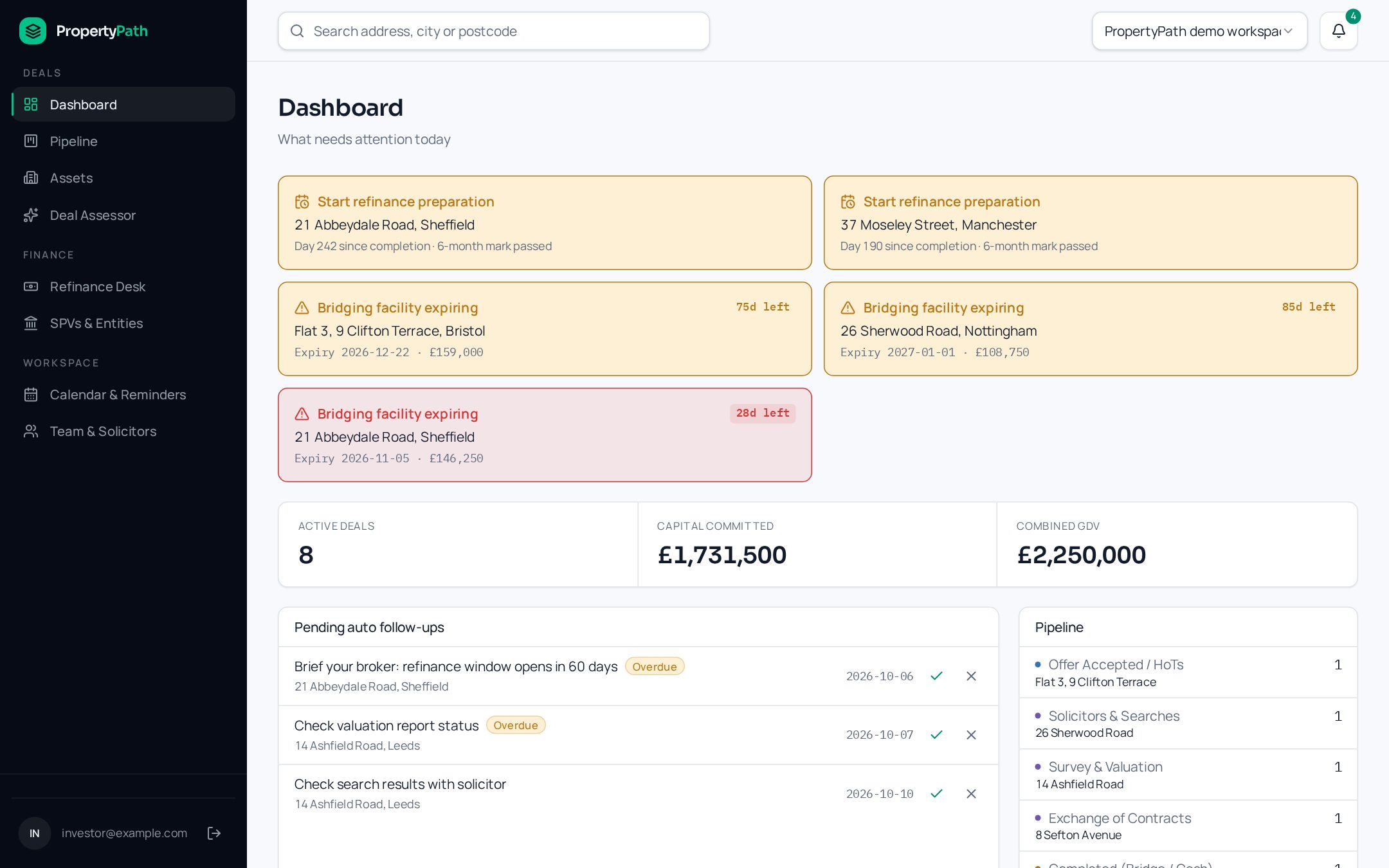
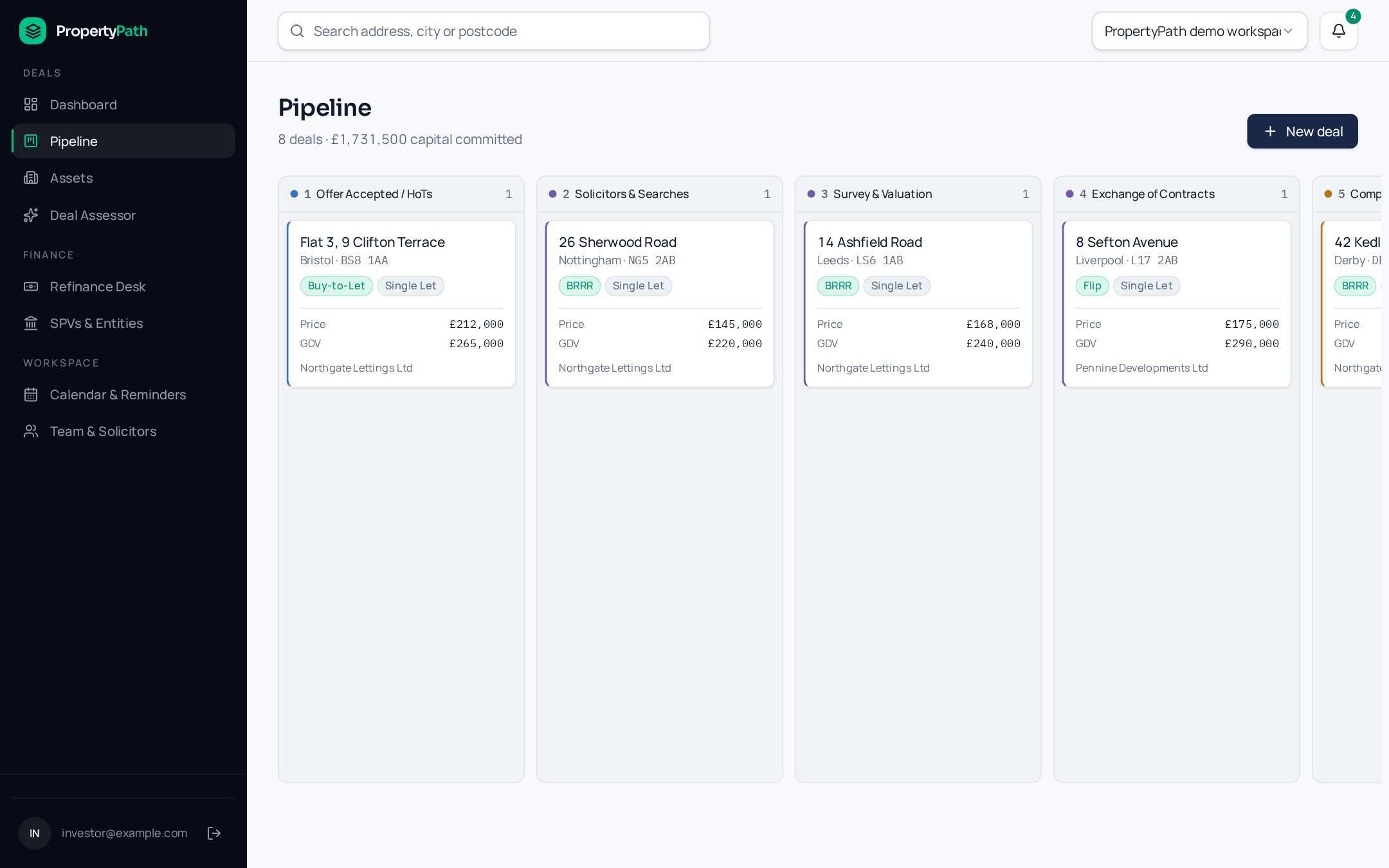
From a first look at the numbers to your solicitor’s latest update, keep the detail connected to the property.
See which deals are waiting on searches, enquiries or a valuation, and who needs a nudge, without asking round the team.
Searches, enquiries, valuations and exchange in one checklist. Ticking off key steps creates the next chase automatically, with a record of who did what.
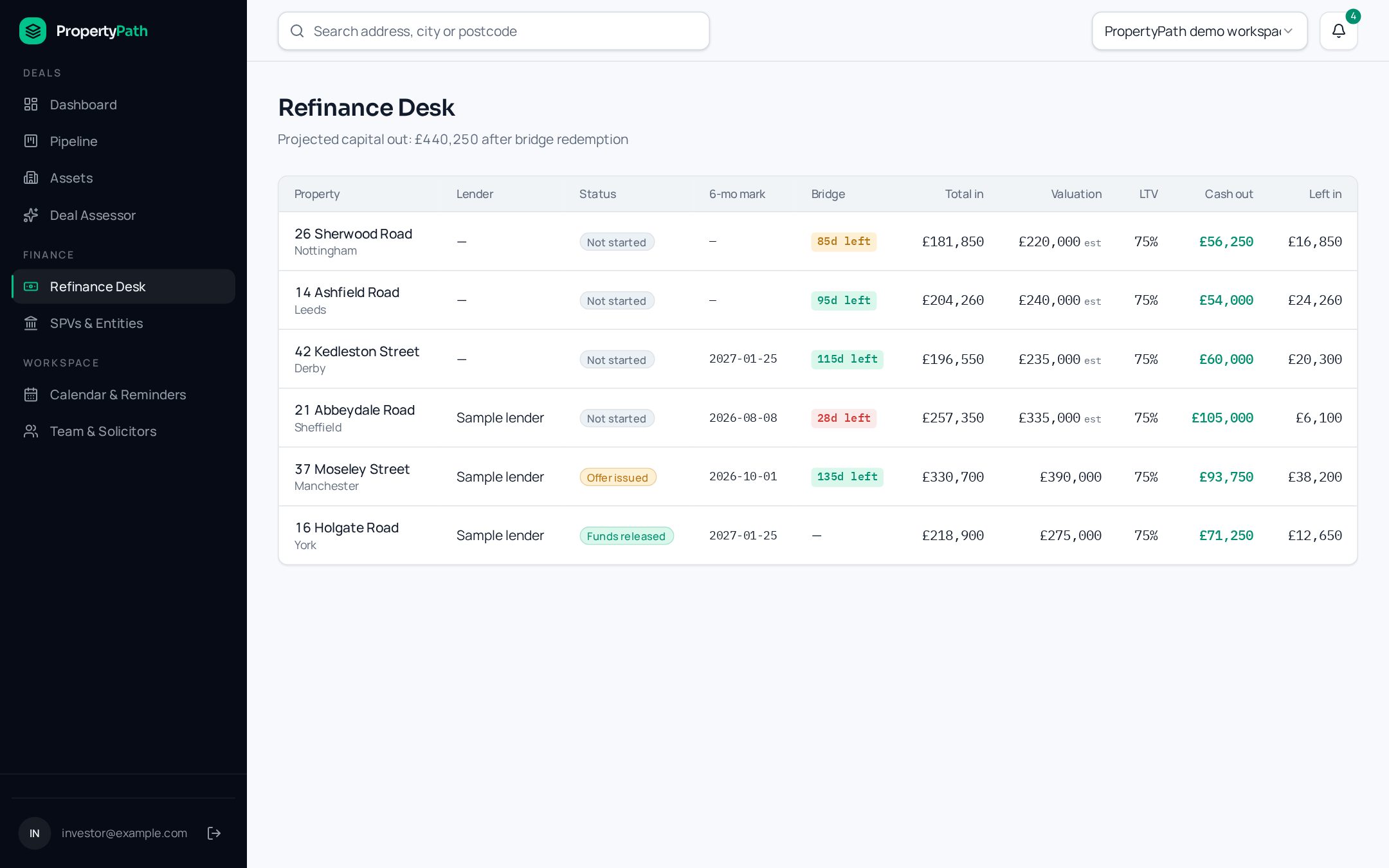
A ready-made refinance pack with purchase price, refurb spend, end value, capital stack and timeline. Save it as a PDF and send it straight to your broker.
Purchase price, purchase tax, fees and refurb costs, alongside borrowing, projected refinance proceeds and money left in the deal.
Your broker is briefed and the valuation booked well ahead, so you are not paying for an extension because the refinance started late.
Link each property to its limited company. See projected property values, capital committed and debt across each company’s deals.
Your conveyancer ticks off their checklist, uploads documents and messages your team from the property file, so updates stop getting lost in email.
Enter your purchase, refurb, end value and rent figures for a concise AI assessment of the key risks and next steps.
A few practical questions
The short answers. Anything else, bring it along and we will walk you through it in a demo.
Take a look insideYes. Invite colleagues to your workspace and they see the same pipeline, files and follow-ups. Solicitors are added separately and only see the matters you assign to their firm. PropertyPath covers deal progress, legals and capital; it is not a building-project or rent-management system.
No. PropertyPath keeps the deal organised and gives your team a shared view. Your solicitor still handles the legal work and your broker advises on lending. Refinance dates are planning targets, subject to each lender’s criteria.
Solicitors see only properties assigned to their firm, with relevant property details, agreed terms, the legal checklist, documents and messages. Your internal commercial figures and investor notes are not shared with them.
Not always. Requirements vary by lender, product and circumstances. PropertyPath’s six-month date is a planning target, not a lending rule or an approval. PropertyPath reminds you 60 and 30 days before that date; your broker should confirm the right timing for your deal.
The examples follow an England property purchase. Taxes and legal processes differ across the UK: SDLT applies in England and Northern Ireland, LTT in Wales and LBTT in Scotland. Confirm the tax, transaction steps and lending requirements with your advisers.
No. It is AI-generated guidance to help you identify questions, risks and next steps. Verify the figures and assumptions with your professional advisers before making an investment decision.
Let’s talk
Considering PropertyPath for your team, or interested in the business? Send us a note.